1. Click  on the Toolbar to open the Contacts form.
2. Click Add Address Book to add a new address book.
3. Enter values in fields of the Add Address Book form.
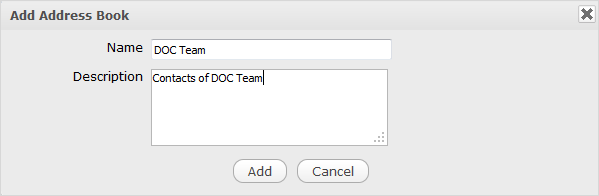
Details:
| Field | Description |
|---|---|
| Name | The name of your address book that is required. |
| Description | The brief description of your address book. |
3. Click Add to finish adding your address book.