1. Click Add BBCode in the BBCode Manager form to open the Add BBCode form.
2. Input values into the Add BBCode form.
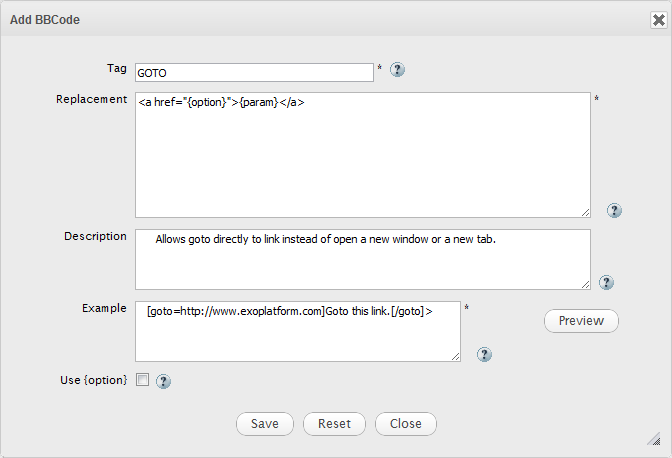
Details:
| Field | Description |
|---|---|
| Tag | This is the text for BBCode, which goes inside the square bracket. |
| Replacement | The HTML codes that replace the user-entered BBCode. |
| Description | The brief description about this BBCode tag. |
| Example | The sample of the BBCode in use. |
| Use {option} | Allow BBCode tag to have option or not. |
| Preview | Click this button to preview your rendered BBCode. |
 | Click this icon to see descriptions of each field. |
3. Click Save to finish or Reset to clear all input fields.