1. Click  on the Tags pane of the right pane and select Add New Tag from the drop-down menu to open the Tag form.
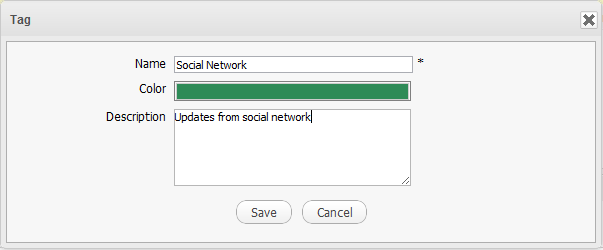
Details:
| Field | Description |
|---|---|
| Name | The new tag name. |
| Color | The tag color. |
| Description | The brief description of the tag. |
2. Fill in required fields, then click Save to finish.
Your newly selected tag will be updated in the Tags pane.