1. Open the Quick Add Task form via the following ways:
The first way
Select  on the Toolbar.
The second way
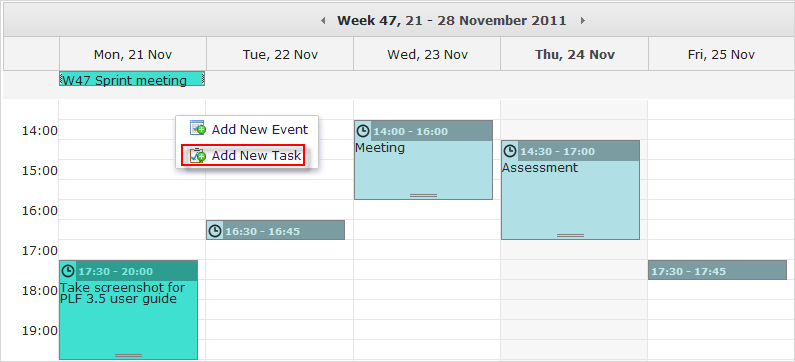
Right-click the Calendar View pane, then select Add New Task from the drop-down menu.
The third way
i. Hover your cursor over the calendar which you want add tasks, then click  that appears.
ii. Click Add Task from the drop-down menu.
2. Fill in fields of the Quick Add Task form.
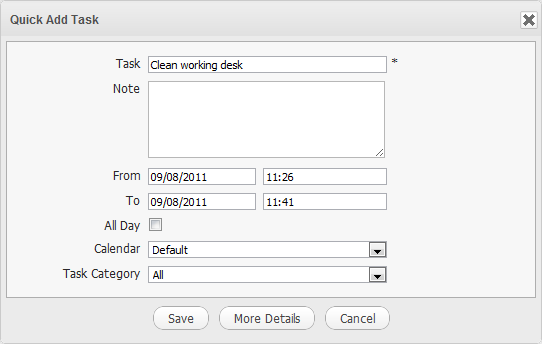
Details:
| Field | Description |
|---|---|
| Task | The name of the task. |
| Note | The note of the task. |
| From | The starting date/time of the task. |
| To | The ending date/time of the task. |
| All Day | Tick the checkbox to set the task duration to be all day. If you do not check this option, you have to select the starting date/time and ending date/time. By default, the starting and ending dates are the current ones. |
| Calendar | The calendar which includes the task. |
| Task Category | The category which includes the task. |
3. Click Save to finish creating your new task; or click More Details to open the Add a detailed task form.