Conversation validation is a form of runtime governance concerned with the dynamic behaviour of a system.
When coupled with a choreography description model of a system, this means having the ability to ensure that the way a collection of services interact correctly adheres to a description of the business process being enacted.
This section introduces the choreography description language (CDL) defined by W3C, and the pi4soa open source project which provides an editor for creating choreography descriptions, as well as utilizing these descriptions for runtime validation and execution purposes.
The principle mechanism used for validating conversations within an ESB is through the use of a global filter registered with the jbossesb-properties.xml. This file is located in the $JBossESB/server/default/deploy/jbossesb.sar folder.
    <properties name="filters">

        ...

        <property name="org.jboss.soa.esb.filter.10"

                value="org.pi4soa.jbossesb.validator.ValidatorFilter"/>

    </properties>
This filter is installed as part of the installation process for the Overlord-CDL distribution.
The information concerning what destinations will be validated, and to which choreography/participant they relate, are contained within the validator-config.xml file, contained within the overlord-cdl-validator.esb bundle.
An example of the contents of this file, as used by the TrailBlazer example, is:
    <validator active="true" >

        <service cdmFilePath="models/TrailBlazer.cdm"

                    participantType="LoanBrokerParticipant" >

            <output epr="jms:queue/esb-tb-creditAgencyQueue" />

            <input epr="jms:queue/esb-tb-creditAgencyQueue_reply" />

            <output epr="jms:queue/esb-tb-jmsBankRequestQueue" />

            <output epr="jms:queue/esb-tb-fileBankRequestQueue" />

            <input epr="jms:queue/esb-tb-jmsBankResponseQueue" />

            <output epr="jms:queue/esb-tb-customerNotifier" />

            <input epr="jms:queue/esb-tb-fileBankResponseQueue" />

        </service>

        <service cdmFilePath="models/TrailBlazer.cdm"

                    participantType="CreditAgencyParticipant" >

            <input epr="jms:queue/esb-tb-creditAgencyQueue" />

            <output epr="jms:queue/esb-tb-creditAgencyQueue_reply" />

        </service>

        <service cdmFilePath="models/TrailBlazer.cdm"

                    participantType="BankParticipant" >

            <input epr="jms:queue/esb-tb-jmsBankRequestQueue" />

            <input epr="jms:queue/esb-tb-fileBankRequestQueue" />

            <output epr="jms:queue/esb-tb-jmsBankResponseQueue" />

            <output epr="jms:queue/esb-tb-fileBankResponseQueue" />

        </service>

        <service cdmFilePath="models/TrailBlazer.cdm"

                    participantType="NotifierParticipant" >

            <input epr="jms:queue/esb-tb-customerNotifier" />

        </service>

    </validator>
The 'validator' element has a single boolean attribute called 'active', which determines whether active or passive validation is used. Active validation means that any erronous messages, that conflict with the behaviour as described in the choreography, should be prevented from being received or sent. Passive validation means that the message will continue to be received or sent, and errors will only be reported for information purposes.
Note
It is important to note that if 'active' validation is used, then the validation mechanism will be an integral part of the message flow. This may have a slight performance impact on the delivery of messages between services.
Within the 'validator' element is a list of 'service' elements, one per service being validated. The behaviour of the service being validated is identified by specifying the choreography model and the participant type within the choreography model. Therefore, within the above configuration, the first set of destinations (eprs) are associated with the LoanBrokerParticipant defined within the choreography description model found in the file model/TrailBlazer.cdm, which will be located within the overlord-cdl-validator.esb bundle.
The elements contained within the 'service' element define the input and output eprs (Endpoint References) that are associated with the service. The input eprs are the destinations on which messages will be received and the output eprs are the destinations on which messages will be sent by the service.
The format of the 'epr' attribute will be specific to the type of transport used for the ESB aware destination. Currently only JMS is supported, and can be identified by the protocol prefix 'jms:'.
Although it is preferrable to validate an .esb bundle using the central configuration, there are times when it is not possible to know the specific destination used to send a message to or from a service. In these situations, it will be necessary to explicitly insert an action into a service descriptor's action pipeline, to observe the message.
This can be achieved using the org.pi4soa.jbossesb.validator.ValidationAction, which can be configured with the following properties:
        <action name="LoanBrokerValidatorAction1"

                class="org.pi4soa.jbossesb.validator.ValidationAction"

                    process="processMessage" >

            <property name="cdmFilePath" value="models/TrailBlazer.cdm" />

            <property name="participantType" value="LoanBrokerParticipant" />

            <property name="inbound" value="true" />

            <property name="request" value="true" />

        </action>
The cdmFilePath references the choreography description model, which will usually be a relative path within the overlord-cdl-validator.esb bundle. The participantType property defines which participant the validator action is representing. The optional inbound property indicates whether the message on the action pipeline is being received (true) or sent (false). The optional request property can be used to determine whether the message on the action pipeline represents a request (true) or response/notification (false).
The first step to configuring the validator is to associate the endpoint references (EPRs) against the relevant choreography interactions. This is achieved by defining an annotation for each 'exchange details' component (i.e. each request and response/notification).

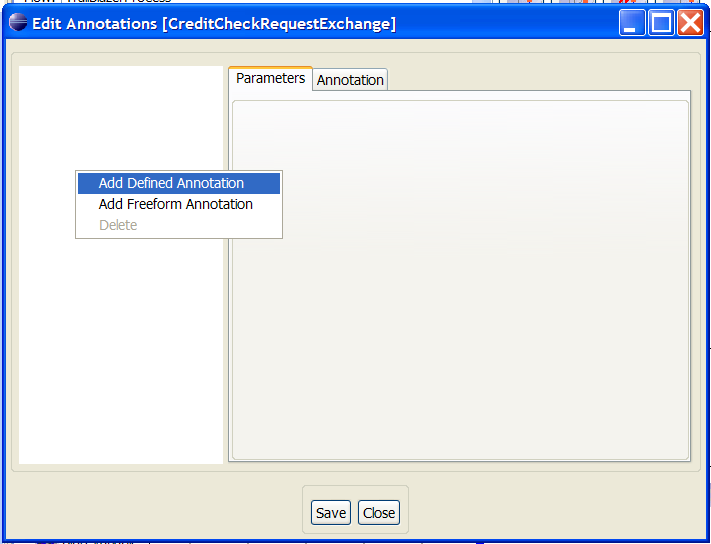
When the annotation editor is displayed for the relevant 'exchange details' component, the jbossesb annotation should be added. This is achieved by selecting the popup menu associated with the background of the lefthand panel, and selecting the Add Defined Annotation menu item.
When the list of defined annotations is displayed, select the jbossesb annotation.
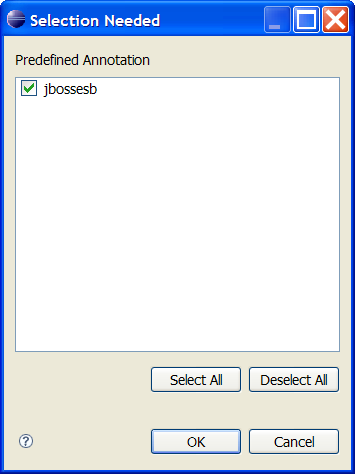
After pressing the Ok button, the annotation editor will configure the righthand panel with the parameters associated with this annotation.
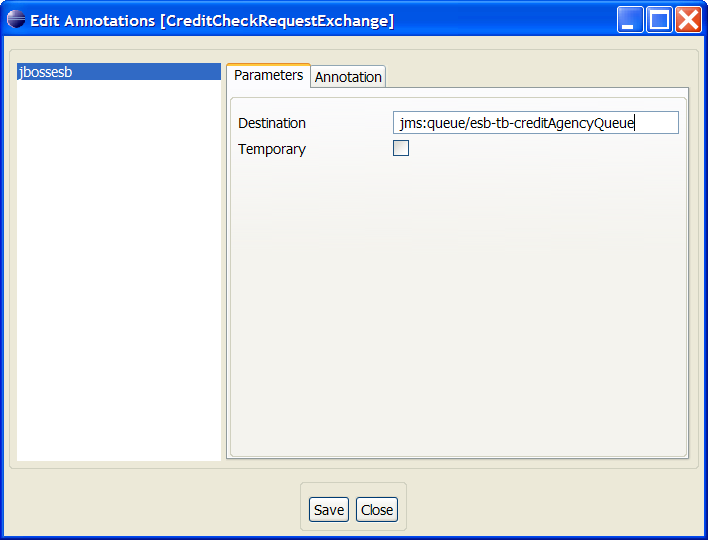
To specify the EPR for a particular message exchange, enter the EPR into the Destination field. If however a temporary destination is used for a message exchange (usually when dealing with responses), then the temporary checkbox should be selected.
Once the annotation has been defined, then press the Save button to save the annotation against the interaction's exchange details.
To generate the validator configuration details from a choreography description into the format used by the central configuration mechanism (described previously), select the Overlord->JBossESB->Generate Validator menu item associated with the popup menu for the choreography description.
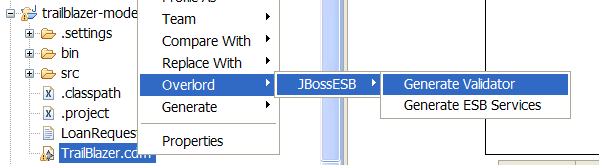
When the dialog box is displayed, either enter the path to the validator-config.xml
in the text field, or use the Browse button to locate the file3
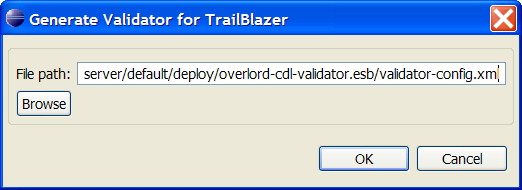
If the selected file does not exist, then when the Ok button is pressed, it will be created with the validator configuration associated with the choreography description.
If the selected file already exists, then any 'service' entries associated with the choreography file will be updated with the new information from the choreography description. All other entries in the selected validator configuration file will be retained.
Note
If the validator-config.xml file within the JBoss server environment is directly updated, then the server will need to be restarted before the new configuration will take effect. Tools to support hot reconfiguration of this file will be provided in the future.
Once the JBossESB environment has been configured, to perform service validation of a set of ESB services against a choreography description, and the server has been started, then the next step is to launch a tool to view the correlated information from the service validators - and determine if the transactions are being correctly executed.
Within an Eclipse Java project, that contains the choreography description to be monitored, a configuration file called pi4soa.xml needs to be defined on the project's classpath. This file provides details of the JMS configuration parameters required to subscribe for the information generated by the service validators. The contents of this file is:
<pi4soa>

    <tracker>

        <jndi>

            <initialContextFactory>org.jnp.interfaces.NamingContextFactory</initialContextFactory>

                <providerURL>jnp://localhost:1099</providerURL>

                <factoryURLPackages>org.jboss.naming:org.jnp.interfaces</factoryURLPackages>

            </jndi>

        <jms>

                <connectionFactory>ConnectionFactory</connectionFactory>

                <connectionFactoryAlternate>ConnectionFactory</connectionFactoryAlternate>

                <destination>topic/tracker</destination>

        </jms>

    </tracker>

</pi4soa>
The destination defined in this file must match the one configured in the pi4soa.sar/pi4soa.xml file within the server.
The next step is to launch the monitoring tool. This is located on the popup menu, for the choreography description (i.e. .cdm) file, by selecting the Choreography->Monitor menu item. Once the tool has been launched, it will load the choreography description, subscribe to the relevant event destination, and then indicate via a message in the bottom status line that it is ready to monitor.
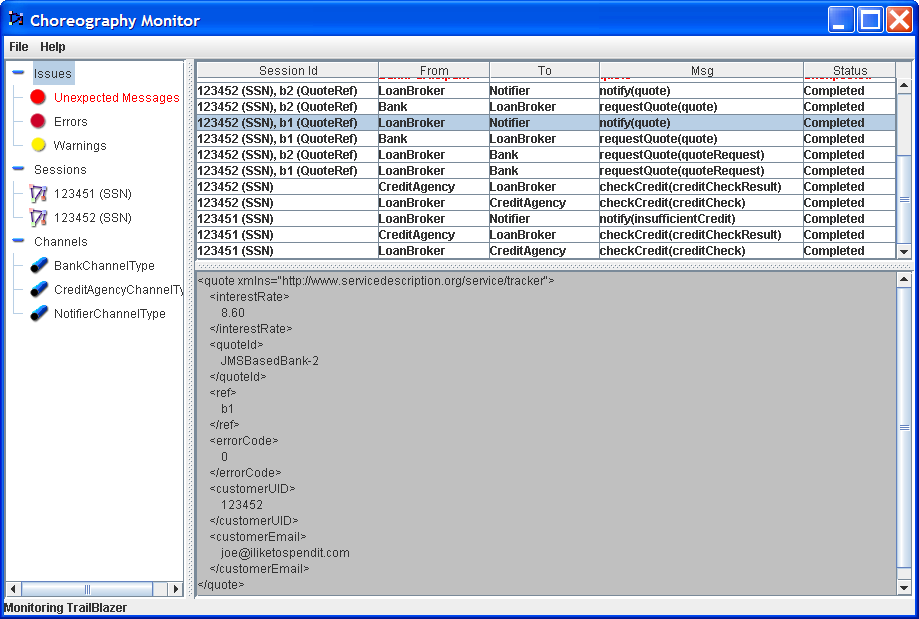
When the information is received, from the service validators representing the different participants (services), it is correlated to show the global status of the business transaction. The list of correlated interactions is show in reverse time order in the image, so in this example a LoanBroker sends a creditCheck message to a CreditAgency, followed by a creditCheckResult being returned.
If any out of sequence or other error situations arise, these are displayed in red.